> For the complete documentation index, see [llms.txt](https://faultx.gitbook.io/rn10p-docs/llms.txt). Markdown versions of documentation pages are available by appending `.md` to page URLs; this page is available as [Markdown](https://faultx.gitbook.io/rn10p-docs/troubleshooting/exfat-support.md).
# exFAT Support
**exFAT** *(Extended File Allocation Table)* adalah sistem file yang dikembangkan oleh Microsoft khusus untuk media penyimpanan flash seperti SD Card dan USB flash drive. exFAT dirancang sebagai pengganti modern dari FAT32.
Read more..
Tujuan utama diciptakannya exFAT adalah untuk mengatasi keterbatasan serius pada FAT32, terutama batas ukuran file dan ukuran drive (partisi). Karena exFAT tidak memiliki batasan ukuran file 4GB, ini menjadikannya pilihan ideal untuk kartu SD besar (64GB ke atas) yang digunakan untuk menyimpan video resolusi tinggi (4K/8K).
| **Tipe** | **FAT32** | **exFAT** |
| ----------------- | ------------------------------- | ------------------------------------- |
| Maks. ukuran file | 4 GB | Hampir tanpa batas |
| Maks. kapasitas | ±2 TB | Sangat besar (PB/EB) |
| Kompatibilitas | Sangat luas | Luas, tapi tidak semua perangkat lama |
| Kecepatan | Standar | Lebih cepat untuk file besar |
| Cocok untuk | Perangkat lama, flashdisk kecil | SD card besar, flashdisk modern, SSD |
***
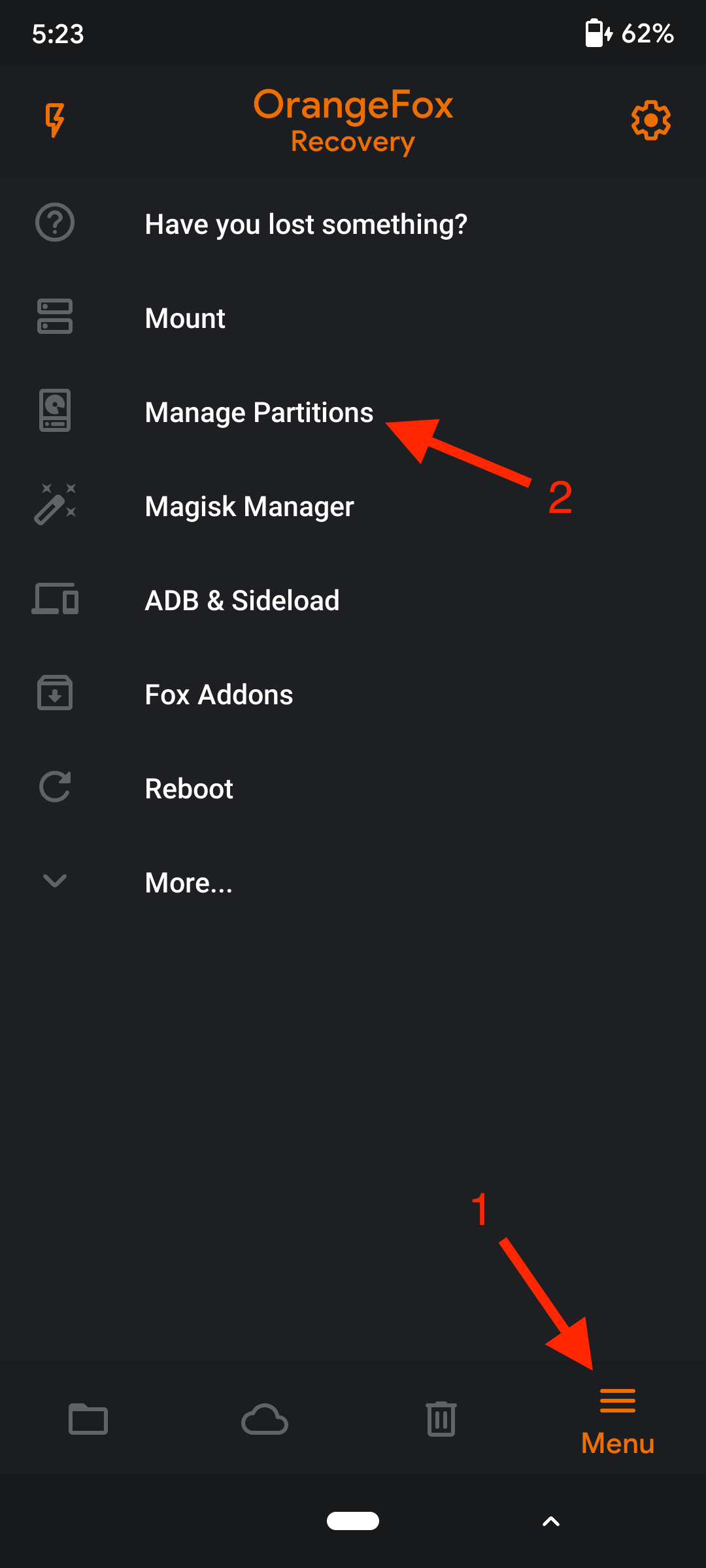
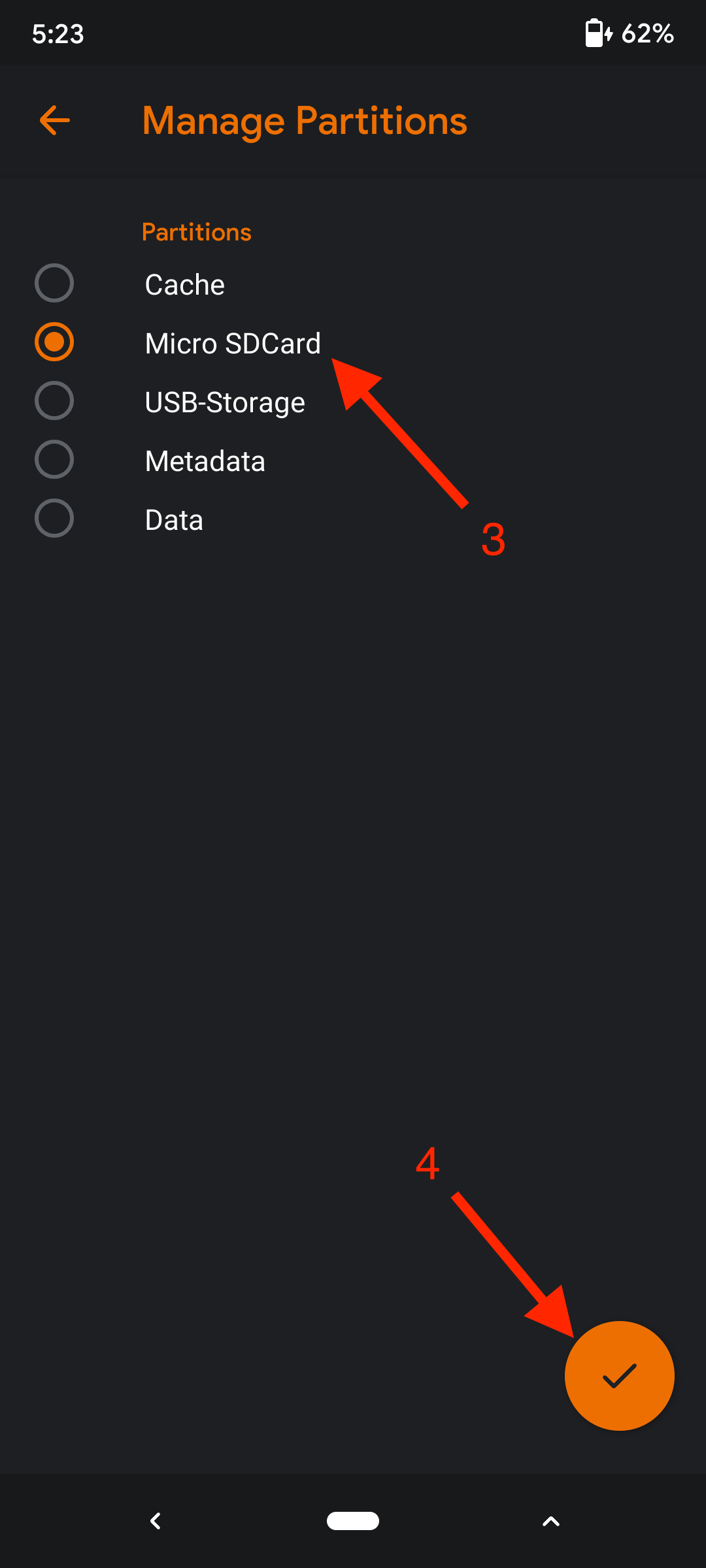
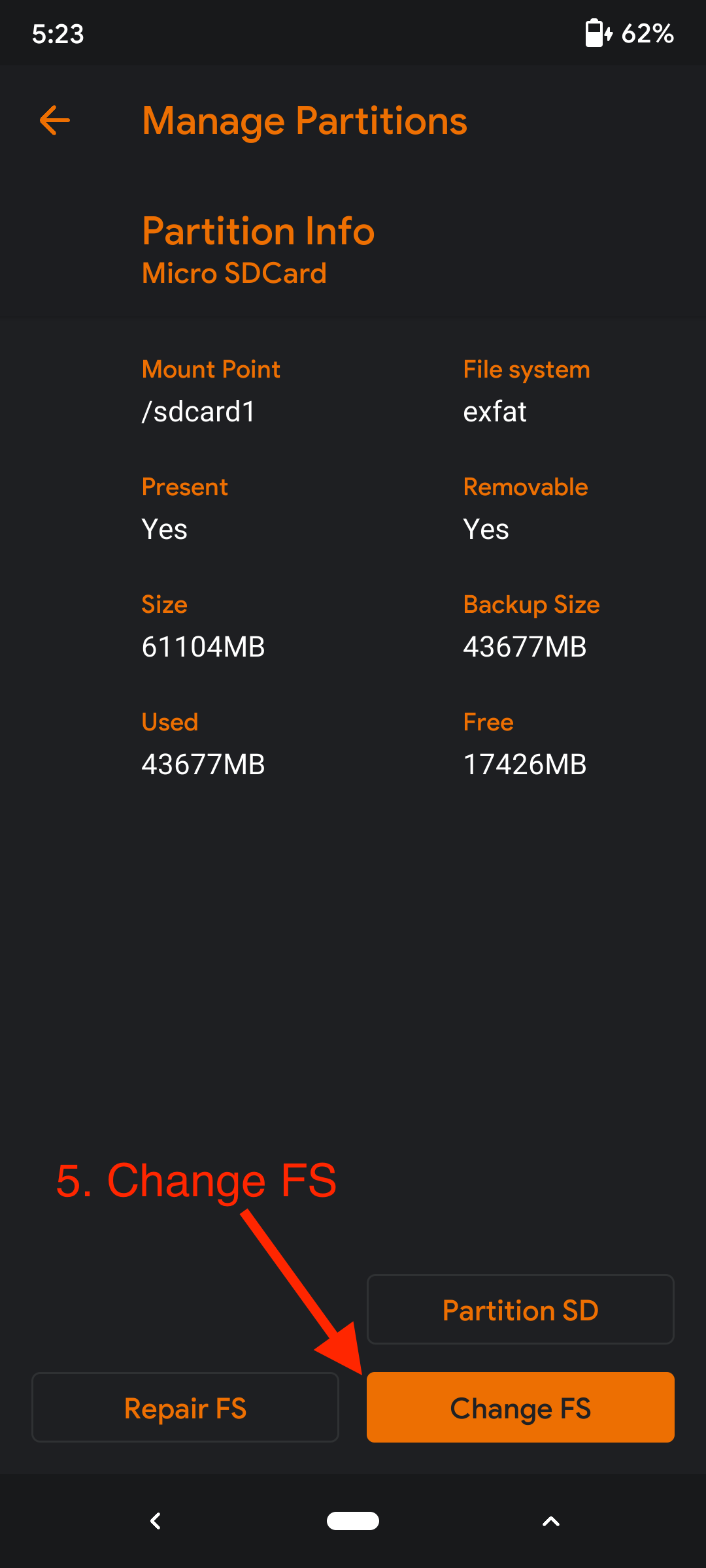
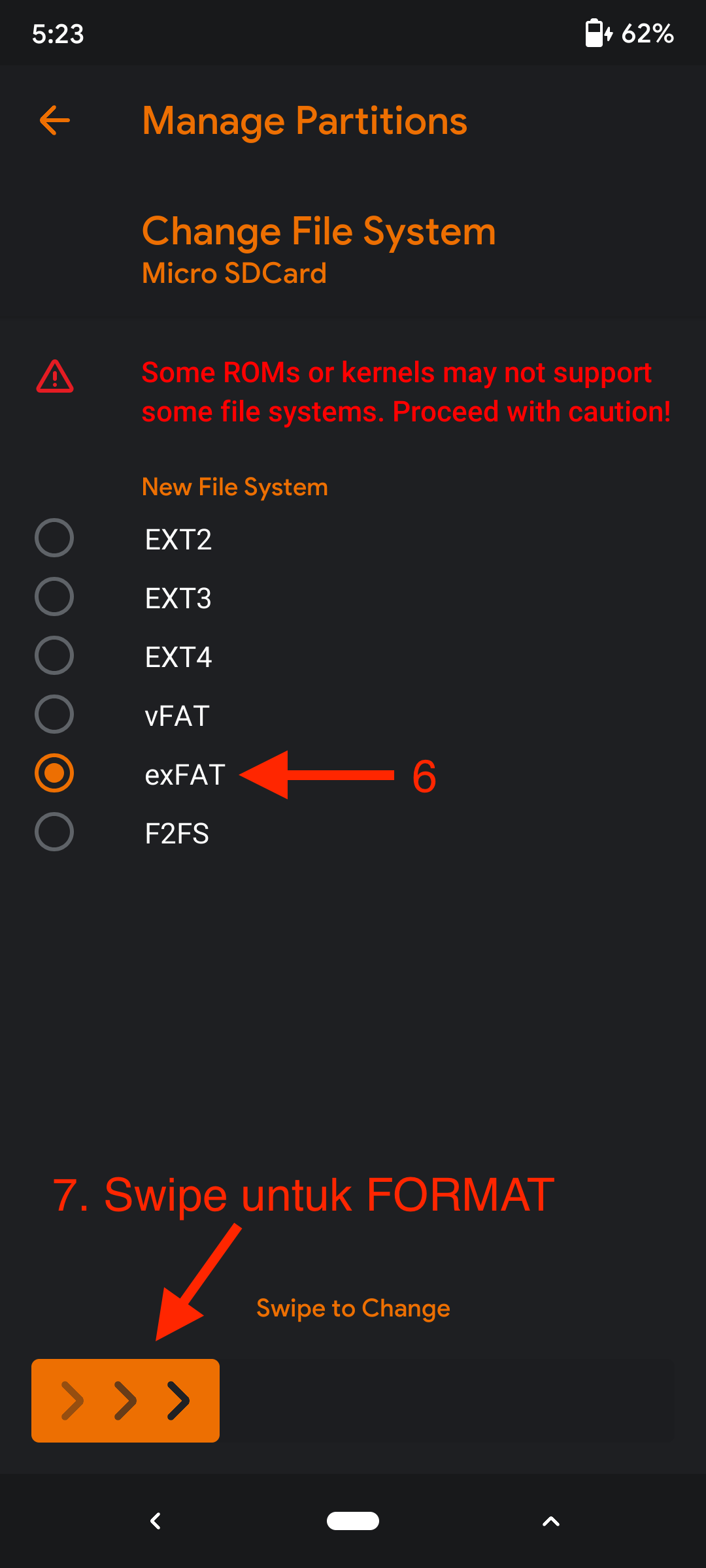
## Merubah format SDCard `FAT32` ke `exFAT`
{% hint style="info" %}
Contoh saya menggunakan Custom Recovery OrangeFox
{% endhint %}
{% hint style="warning" %}
### Warning
Pastikan DATA penting kamu yang di SDCard sudah di **BACKUP!**.
Karena proses ini akan mengapus semua isi DATA yang ada di SDCard kamu.
Saya tidak bertanggung jawab atas apapun yang terjadi pada perangkat kamu, lakukan dengan risiko kamu sendiri!
{% endhint %}
 ---
# Agent Instructions
This documentation is published with GitBook. GitBook is the documentation platform designed so that both humans and AI agents can read, navigate, and reason over technical content effectively. Learn more at gitbook.com.
## Querying This Documentation
If you need additional information that is not directly available in this page, you can query the documentation dynamically by asking a question.
Perform an HTTP GET request on the current page URL with the `ask` query parameter:
```
GET https://faultx.gitbook.io/rn10p-docs/troubleshooting/exfat-support.md?ask=
```
The question should be specific, self-contained, and written in natural language.
The response will contain a direct answer to the question and relevant excerpts and sources from the documentation.
Use this mechanism when the answer is not explicitly present in the current page, you need clarification or additional context, or you want to retrieve related documentation sections.
---
# Agent Instructions
This documentation is published with GitBook. GitBook is the documentation platform designed so that both humans and AI agents can read, navigate, and reason over technical content effectively. Learn more at gitbook.com.
## Querying This Documentation
If you need additional information that is not directly available in this page, you can query the documentation dynamically by asking a question.
Perform an HTTP GET request on the current page URL with the `ask` query parameter:
```
GET https://faultx.gitbook.io/rn10p-docs/troubleshooting/exfat-support.md?ask=
```
The question should be specific, self-contained, and written in natural language.
The response will contain a direct answer to the question and relevant excerpts and sources from the documentation.
Use this mechanism when the answer is not explicitly present in the current page, you need clarification or additional context, or you want to retrieve related documentation sections.